
I’ve sat through enough IT post-mortems to notice the same opening line every time: “how hard could it be, let’s just do it over a weekend.” Then Monday arrives, half of accounting can’t log in, calendar invites vanish, and the executive who approved the rushed timeline wants to know why nobody planned better. A proper Microsoft 365 migration is not a weekend project, and treating it like one turns routine cloud work into a company-wide fire drill.
Here’s the timeline that actually works, the one that doesn’t generate a week of angry help-desk tickets afterward: four to six weeks for a typical small or mid-size business. That number will sound slow to anyone who’s never done this. It isn’t. It’s roughly the time it takes to move a company’s entire working life, email, files, calendars, the login habits nobody thinks about until they break, without leaving a mess behind. Businesses should also review their cloud computing services to understand how cloud infrastructure and hosted applications fit into the migration plan.
The timeline isn’t fixed. A small office running nothing fancy might trim it slightly. A fifty-person operation with multiple locations and an aging file server should expect it to run longer. Complexity doesn’t compress. It hides until cutover day, then introduces itself.
Table of Contents
Week One Is the Boring Part, Which Is the Point
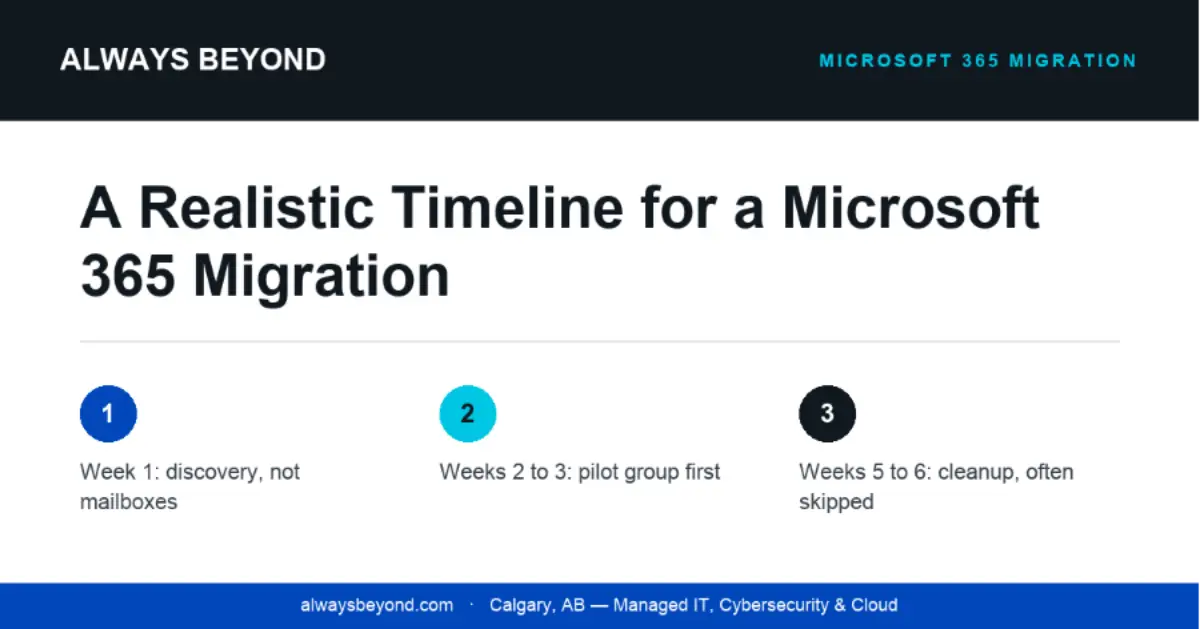
Nobody gets excited about discovery week, and that’s why it gets skipped. Before touching a mailbox, inventory every mailbox and distribution list, map the file shares and forgotten PST archives, list the third-party tools plugged into email or storage (the CRM, the accounting software, the e-signature tool nobody remembers approving), and confirm the right license per person. Agree on a rollback plan before anything goes wrong, not while it’s going wrong.
Skip this and you’re not saving a week. You’re borrowing it from your future self, who pays it back with interest, usually as a frantic phone call.
Weeks Two and Three: The Part Nobody Sees
This is the quiet work. Set up the new tenant, get security basics in place (multi-factor authentication, conditional access, sensible mail flow rules), then migrate a small pilot group first, five or ten people across departments. Watch it closely. Broken invites, missing permissions, and sync errors show up here, contained, instead of hitting forty people at once later. Fix what breaks, then move file shares to SharePoint or OneDrive in parallel, a step that quietly outlasts email.
A pilot feels like a delay to someone in a hurry. It’s the difference between one annoyed department and a whole company flooding the help desk at once.
Week Four: Cutover, and the Day After Matters More
Once the pilot runs clean for a few days, move everyone else. Schedule a genuinely quiet window, a Friday evening or long weekend, not a Tuesday morning. Update DNS and mail routing only after mailboxes are confirmed migrated. Keep support available through the first full business day after cutover, not just cutover night. Don’t forget mobile devices or shared conference-room calendars; easy to overlook, annoying to fix later.
The day after cutover produces more questions than cutover night. Plan for that and it stops being an emergency.
Weeks Five and Six: The Cleanup Everyone Skips
The job isn’t done when the last mailbox lands. Decommission the old system after a real retention window, clean out duplicate accounts and stale permissions, and run a short training session, even thirty minutes, on what people will actually use day to day. Write down what changed, so the next person isn’t reconstructing history from memory.
For organizations moving large numbers of business files, a well-planned document management system can help organize, store, retrieve, and control access to important records after migration.
Cleanup gets neglected more than any other phase, mostly because the business already feels “done” once email works again. That’s exactly when leftover permissions quietly turn into real security gaps.
| Rushed migration | Planned migration |
|---|---|
| Cutover attempted with no pilot test | Pilot surfaces problems before they scale |
| Staff lose access mid-workday | Cutover scheduled outside business hours |
| No rollback plan if something breaks | Rollback plan agreed before day one |
| Training happens reactively, via tickets | Training happens before go-live |
| Nobody available the next morning | Support staffed through the next business day |
A compressed timeline never saves time. It just relocates the pain into the weeks after, as tickets and irritated staff, a pattern the Always Beyond team in Calgary has watched often enough to plan around by default.
Organizations comparing hosting options for legacy applications or supporting infrastructure may also want to review the benefits of virtual private server services when deciding which workloads should remain on dedicated virtual servers.
Write the plan down before you touch a single mailbox. Everything else here is negotiable. That one habit isn’t.
By the Always Beyond Team
Always Beyond is a Calgary-based, employee-owned managed IT services provider for growing businesses across Alberta.