
Table of Contents
Smart Phones
Buying a brand-new phone isn’t as simple as it used to be. In the days of vintage mobile phones from Nokia, Motorola, and Sony, phones were mainly used to make calls and send text messages. Today, there is a long list of things you can do with your phone because there is an app for almost everything, and smartphones come with numerous features. It’s all great, but let’s not forget the benefits of good old-fashioned brick phones.
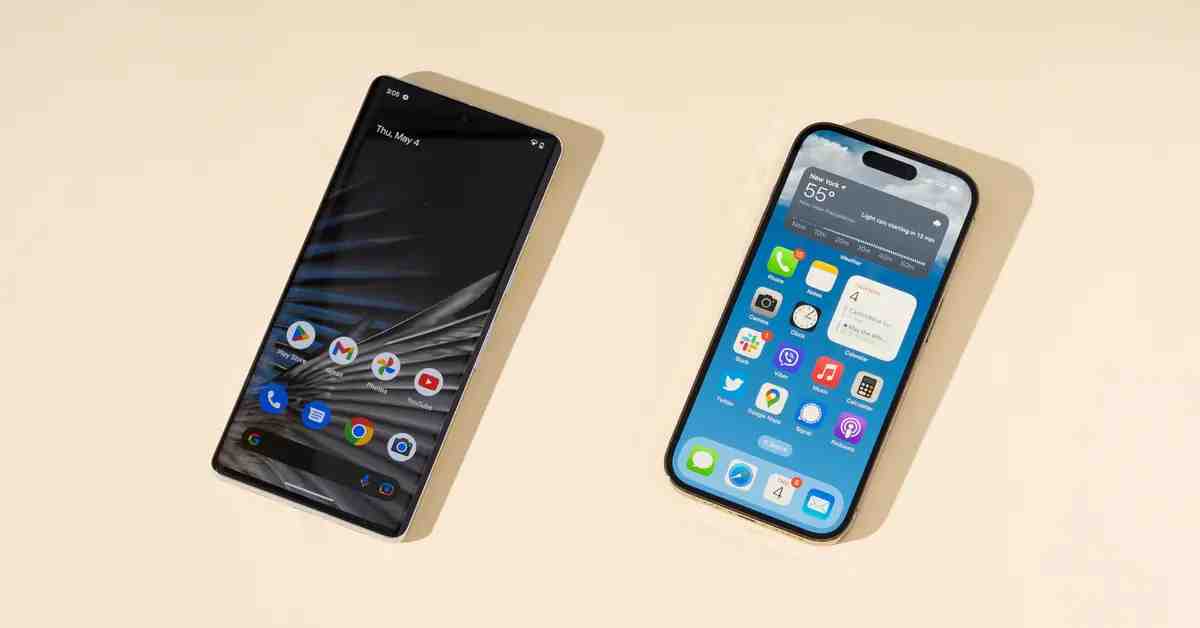
A smartphone is a mobile device that combines the functions of a cellular phone and a handheld computer. These devices operate on mobile computing platforms, offer substantial storage capacity, and can perform tasks traditionally handled by computers. They also provide more connectivity options than conventional mobile phones. For this reason, these devices are called smartphones, distinguishing them from basic mobile phones. One of the closest predecessors to smartphones was the personal digital assistant (PDA).
Modern smartphones began to emerge in the late 2000s and quickly became popular throughout the 2010s. By early 2013, smartphone sales had surpassed those of traditional mobile phones, revolutionizing the mobile industry. Android and iOS are among the most widely used mobile operating systems, while popular smartphone brands include Xiaomi, Samsung, Apple, Oppo, Realme, Vivo, Motorola, and Huawei.
Smartphones are also widely used for business, communication, entertainment, and productivity. Choosing the right device and using its features effectively can make a difference in everyday life. Businesses and individuals can also explore the top 7 essentials for your mobile strategy to understand important considerations for making the most of mobile technology.
Android
Android is a Linux-based mobile operating system designed for smartphones, tablets, smart TVs, and other connected devices. It provides a platform for applications and services that allow users to communicate, browse the internet, enjoy entertainment, and complete everyday tasks.
The Android operating system is used not only on smartphones but also on tablets, smartwatches, televisions, and various other devices. It is available on a wide range of devices from different manufacturers, each offering its own hardware features and software experience.
The characteristics that we can highlight of this operating system are:
- Open-source foundations that allow manufacturers and developers to customize the platform.
- A kernel based on the Linux kernel.
- Adaptability to different screen sizes and resolutions.
- SQLite support for local data storage.
- Support for different forms of messaging.
- Web browsing capabilities.
- Support for Java-based development and many multimedia formats.
- Support for modern web technologies, including HTML5.
- Development tools for testing, debugging, and performance analysis.
- Access to free and paid applications through Google Play, depending on device availability.
- Support for voice and video communication through compatible applications.
- Multitasking capabilities that allow supported applications to perform tasks in the background.
Android, unlike more closed mobile operating systems, offers developers considerable flexibility. Its open-source components allow manufacturers and developers to customize the software, although some Google services and applications are proprietary.
Android smartphones are available in many designs and price ranges. Users can also personalize their devices with accessories such as protective covers. For example, those looking to protect an Oppo device can explore Oppo phone cases to find options that suit their phone and personal style.
iPhone OS
iOS is the mobile operating system developed by Apple. It was originally created for the iPhone and later became part of Apple’s broader mobile software ecosystem. The operating system was initially called iPhone OS before being renamed iOS.
iOS is based on technology related to Apple’s operating systems and is designed specifically for Apple hardware. Unlike Android, Apple does not license iOS for general installation on third-party smartphone hardware. In the final four months of 2012, iOS held a significant share of the mobile operating system market, behind Android.
The iOS user interface is designed around direct manipulation, allowing users to interact with their devices through multitouch gestures such as tapping, swiping, and pinching.
iOS has been designed to:
- Provide a user-friendly interface that supports direct interaction.
- Offer quick responses to user controls.
- Integrate hardware and software for a consistent experience.
- Support applications and services across Apple’s ecosystem.
iOS has four traditional architectural layers:
- The Core OS layer.
- The Core Services layer.
- The Media layer.
- The Cocoa Touch layer.
Multitasking is an iOS feature that allows supported applications to perform specific tasks in the background while users work with other applications.
Apple continues to release new iPhone models with improvements to cameras, processing performance, security, and connectivity. Users comparing premium Apple devices can explore the iPhone 15 Pro Max unlocked to learn more about this model and its unlocked-phone option.
When upgrading to a newer iPhone, some users may also decide to sell their previous device. If you want to get more value from an older phone, this guide to selling your iPhone and maximizing earnings offers a relevant starting point.
Multitasking and Status Indicators
You can identify certain activities through indicators displayed on an iPhone’s screen. The exact indicators vary by iOS version and device model.
- Location and GPS: Applications may request access to your location for navigation, weather updates, and other features. You can manage location permissions in Settings > Privacy & Security > Location Services.
- Recent location access: Depending on your iOS version, you can review which applications have permission to access your location and adjust their access settings.
- Audio playback: When music or other audio is playing, playback controls may appear on the Lock Screen or in Control Center. You can pause or stop playback without necessarily closing the application.
Connecting an iPhone to a MacBook
Apple devices are designed to work together, making it easier to share files and continue tasks across devices. If you want to transfer files or connect your devices without a cable, read this guide on how to connect an iPhone to a MacBook without USB.
Wireless options can make everyday tasks more convenient, although the method you use will depend on whether you want to transfer files, synchronize data, or share your internet connection.